A finance team closes month-end at 8:30 p.m., and one file is still sitting on a single office PC. That is usually the moment when the cloud accounting vs desktop question stops being theoretical. It becomes an operational decision about access, control, speed, and risk.
For many businesses, both models can work. The better choice depends on how your team handles approvals, inventory, payroll, reporting, statutory tasks, and daily collaboration across departments. If your accounting system sits at the center of business operations, the decision affects more than bookkeeping.
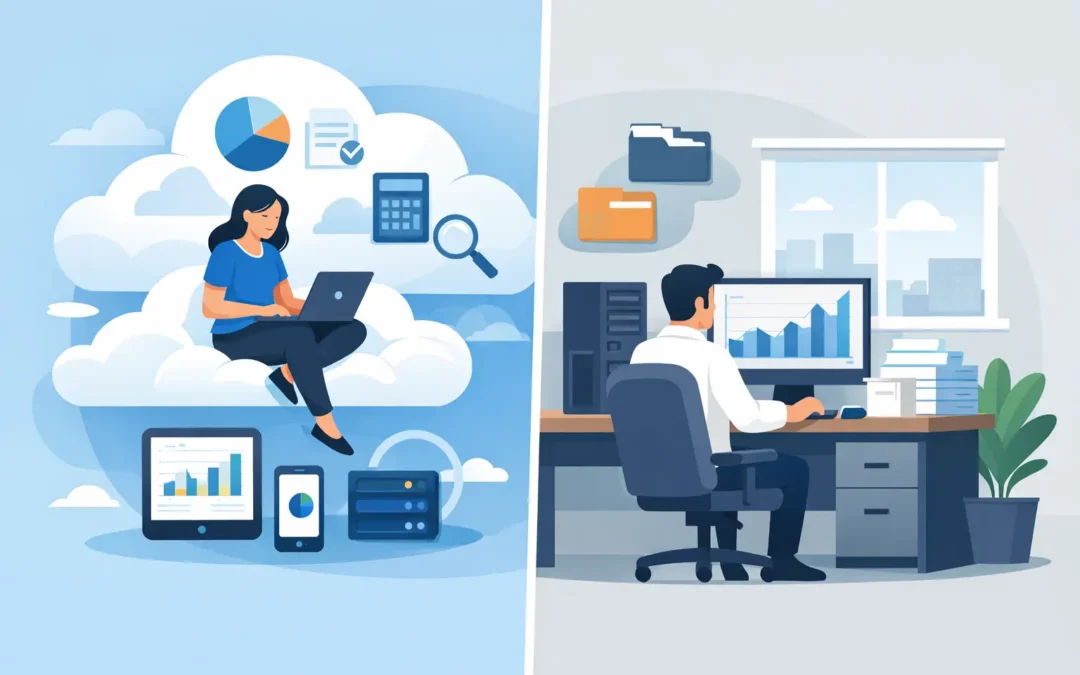
Cloud accounting vs desktop: the real difference
The simplest distinction is where the software and data live, and how users access them. Desktop accounting software is typically installed on a local computer or company server. Cloud accounting is accessed through the internet, usually by browser or app, with data hosted in a managed environment.
That sounds straightforward, but the practical difference is bigger. Desktop systems often give businesses a familiar setup, tighter local control, and in some cases better performance for heavily customized environments. Cloud systems usually improve mobility, multi-user collaboration, and access to live data from different locations.
The question is not which model is universally better. The question is which one supports your workflows with less friction.
Where desktop still makes sense
Desktop accounting remains a valid option for businesses with stable processes, limited remote work, and strong in-house control over their IT environment. If your finance team works from one office, uses a dedicated machine or local server, and follows a fixed routine, desktop software can feel predictable and efficient.
It can also suit companies that prefer one-time or staged software investments over recurring subscriptions, depending on the vendor and deployment model. Some businesses are also more comfortable keeping systems on premises because they want direct oversight of infrastructure, backups, and internal access rules.
There is another factor that often gets overlooked. In operationally complex companies, accounting is rarely isolated. It connects with payroll, inventory, point of sale, purchasing, production, and service workflows. If a desktop environment has been built around those processes over time, changing platforms is not just a software switch. It can affect training, reporting structures, and day-to-day execution.
That said, desktop comes with trade-offs. Access is often tied to specific machines, remote work may require additional setup, version control can become messy, and updates may rely on internal discipline. If a file-based setup is poorly managed, a simple issue like a locked file or missed backup can disrupt work at the wrong time.
Why cloud adoption keeps growing
Cloud accounting gained traction because business operations no longer happen in one room. Owners travel, managers approve expenses from their phones, accountants collaborate across entities, and sales activity may start outside the office. Cloud systems fit that reality better.
The strongest advantage is accessibility. Authorized users can review dashboards, process transactions, or monitor receivables without waiting to be in front of one workstation. For growing companies, this matters because delays in finance often become delays everywhere else.
Cloud systems also simplify software maintenance. Updates, patches, and platform improvements are generally managed centrally rather than manually installed machine by machine. That reduces the burden on internal teams and helps businesses stay on current versions for compliance and feature availability.
Collaboration is another practical gain. When multiple users need access to live information, cloud environments reduce the version confusion that can happen when files are exported, copied, and re-imported. Finance, payroll, and operations teams can work from a more consistent data set.
None of that means cloud is effortless. Internet dependency is real, subscription costs need to be budgeted properly, and some businesses may find that certain custom workflows need adjustment. The value comes from better continuity and visibility, not from the word cloud itself.
Cost is not just license price
Many buyers compare cloud and desktop based on upfront price versus monthly fees. That is a starting point, but not a full cost analysis.
Desktop software may appear less expensive initially if the business already has hardware and internal support. But total cost also includes server maintenance, backup procedures, upgrade cycles, downtime risks, and the time spent managing local infrastructure. If remote access is needed, there may be added costs for VPNs, remote desktop tools, or IT administration.
Cloud accounting usually shifts more of the spend into operating expense. That can improve predictability, especially for businesses that want maintenance and updates included. However, long-term subscription costs should be compared against usage, features, user counts, and integration needs. Paying less for a system that creates manual work in inventory, payroll, or reporting is rarely a real saving.
A better way to assess cost is to measure the impact on operational efficiency. If a system reduces duplicate entry, speeds approvals, shortens month-end, improves collection visibility, or supports compliance with fewer manual checks, that value should be part of the decision.
Security and control are more nuanced than many assume
Security discussions around cloud accounting vs desktop are often oversimplified. Some assume desktop is safer because data stays in-house. Others assume cloud is safer because providers invest heavily in managed environments. Both claims can be true or false depending on implementation.
A desktop system can be highly secure if the business has disciplined access controls, reliable backups, updated infrastructure, and strong internal IT management. It can also be vulnerable if passwords are shared, backups are inconsistent, or the server is neglected.
A cloud system can offer strong protection through managed hosting, role-based access, encryption, logging, and centralized updates. But businesses still need sound user policies, access governance, and vendor due diligence. Security is not created by deployment model alone. It depends on process, ownership, and accountability.
For finance and payroll data, the better question is this: which setup can your organization manage consistently and securely over time?
Compliance, reporting, and business continuity
For businesses handling payroll, tax requirements, e-invoicing mandates, and audit-ready reporting, accounting software is part of the compliance infrastructure. This is where the cloud versus desktop decision gets more operational.
Cloud platforms can help businesses stay current when rules change, because updates are delivered centrally. That matters when reporting formats, statutory requirements, or submission workflows need to be updated quickly. It also supports business continuity. If one office is unavailable, work does not necessarily stop.
Desktop environments can still support strong compliance, especially when paired with disciplined update procedures and experienced administrators. But the business carries more responsibility for timing, deployment, and consistency. If updates are delayed or distributed unevenly, compliance risk can increase.
For companies with multiple entities, branches, or mobile decision-makers, cloud systems often provide faster visibility into financial status. That visibility supports better control over receivables, cash flow, stock positions, and payroll timelines.
The best choice depends on your operating model
If your business is centralized, office-based, and confident in local IT management, desktop may still be a practical fit. If your teams need remote access, shared visibility, faster updates, and easier collaboration across functions, cloud accounting is usually better aligned.
There is also a middle ground. Some businesses are not choosing between old and new, but between isolated software and an integrated platform. In those cases, the bigger decision is whether accounting connects cleanly with payroll, inventory, HR, sales, and statutory workflows. A cloud deployment with weak integration may underperform. A desktop deployment with strong process fit may still deliver value. The reverse is also true.
This is why software selection should start with workflow mapping, not marketing labels. Look at how transactions enter the system, who approves them, how reports are generated, what compliance requirements apply, and where bottlenecks happen. Then assess which deployment model reduces manual work without sacrificing control.
For businesses evaluating integrated finance and operations software, providers such as SQL Accounting are often considered not just for ledger features, but for how accounting, payroll, inventory, e-invoicing, and business management work together in practice.
How to decide without overcomplicating it
Start with five practical questions. Where do your users work? How often do multiple departments need live access? Who manages updates and backups today? What compliance demands are likely to change over the next two years? And where does your current process lose the most time?
If your answers point to mobility, collaboration, continuity, and centralized maintenance, cloud deserves serious consideration. If they point to tightly controlled local operations and a stable on-premises setup that already fits the business well, desktop may remain the right choice.
The right accounting system should make routine work easier, not more fragile. Choose the model that gives your team dependable control on an ordinary Tuesday, not just attractive features in a product demo.