
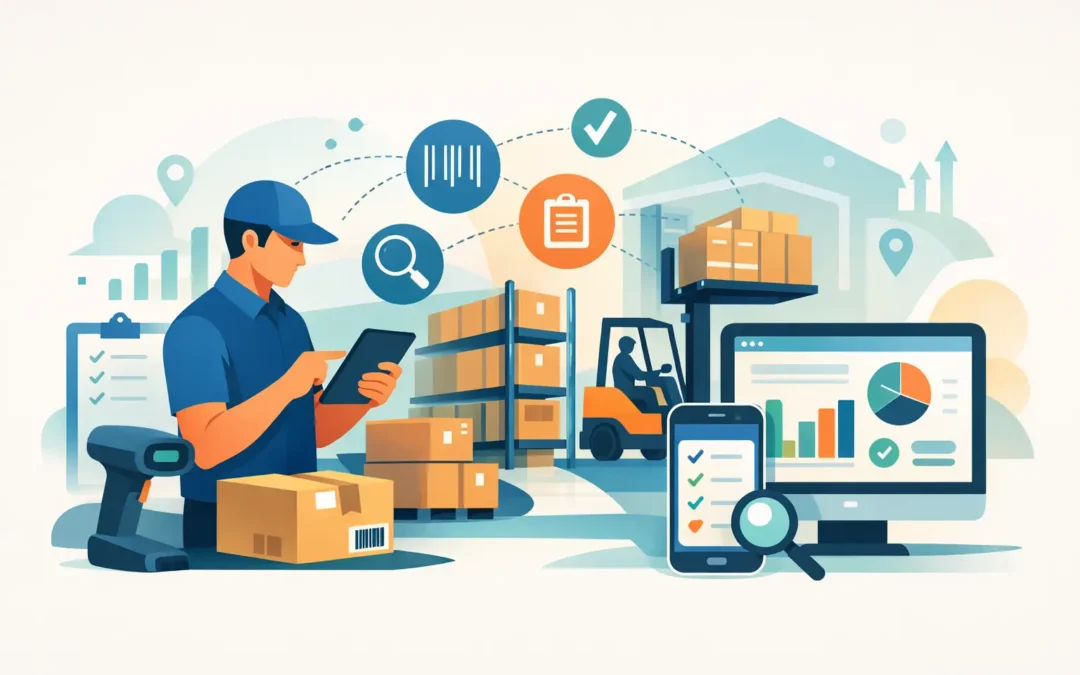
When a warehouse count goes wrong, the damage rarely stays in the warehouse. Purchasing buys the wrong items, sales commits stock that is not really there, finance works from distorted inventory values, and operations lose time fixing preventable mistakes. That is why a stock take app for warehouse use is not a convenience tool. It is part of basic inventory control.
For businesses that manage high SKU volumes, multiple locations, serialized items, or fast-moving goods, manual counting methods create risk quickly. Paper sheets go missing, spreadsheets get overwritten, and delayed updates mean management is often looking at yesterday’s numbers while making today’s decisions. A mobile stock take process changes that by giving teams a faster and more disciplined way to count, verify, and sync inventory data.
What a stock take app for warehouse teams should solve
A warehouse stock count is not only about getting a number. It is about producing a number the business can trust. The right app should reduce data entry errors, speed up count execution, and create a clear audit trail from the warehouse floor back to inventory records.
In practical terms, that means warehouse staff should be able to scan barcodes, record quantities directly at the bin or shelf, and submit count data without rekeying it later. Supervisors should be able to review discrepancies, track count progress, and identify unusual variances before they affect replenishment, fulfillment, or reporting.
This matters even more when inventory is connected to accounting, purchasing, sales, and operations. If stock records sit in a disconnected app, the team may still save time during counting but lose control after the count is done. The stronger approach is an app that supports stock verification as part of a wider business system.
Why manual warehouse stock take methods break down
Manual processes often appear workable when inventory volume is low. Once the business grows, the weaknesses become expensive.
The first issue is accuracy. Handwritten quantities are easy to misread, and spreadsheet-based counts depend heavily on individual discipline. A skipped rack, a duplicated line, or a late file upload can distort the final result more than most teams expect.
The second issue is timing. A warehouse count usually happens under pressure, often outside normal operations or during a controlled pause in movement. If the process takes too long, the business either extends downtime or resumes activity before the count is fully reconciled. Neither option is ideal.
The third issue is traceability. Finance teams, auditors, and operations managers need to know what was counted, by whom, when, and against which item record. Paper and standalone files can provide fragments of that history, but not consistently.
A stock take app helps because it creates process discipline at the point of activity. The count happens where the stock is stored, not later at a desk.
Features that make a real difference on the warehouse floor
Not every app marketed for inventory is suitable for warehouse stock take. Some are built for basic stock viewing rather than structured counting. For operational use, a few capabilities matter more than the rest.
Barcode scanning is one of them. It reduces manual input, speeds up item identification, and helps avoid mistakes where similar product codes or descriptions exist. For warehouses with dense item ranges, this is not optional.
Location-based counting is equally important. Teams need to count by bin, rack, zone, or warehouse section so the process follows physical reality. When counts are done in the same sequence as warehouse layout, execution is faster and missing areas are easier to spot.
Offline or low-connectivity support can also matter. Many warehouses have weak signal coverage in certain zones. If the app only works well with constant connectivity, count teams may face delays or lose confidence in the process.
Approval controls deserve attention too. A practical stock take app for warehouse operations should support discrepancy review rather than immediately forcing every counted quantity into the live record. In many businesses, variances need supervisor validation before adjustment.
Finally, integration matters. Count results should flow into inventory and accounting records without duplicate entry. This shortens the closing cycle and gives management a more reliable inventory position.
The operational benefits beyond faster counting
The most visible gain from a stock take app is speed, but speed is only part of the value. Better stock taking improves daily operational control.
When inventory records are more accurate, purchasing can replenish with less guesswork. Sales teams can commit inventory with more confidence. Finance can rely on stock valuation figures that better reflect actual holdings. Warehouse managers can investigate recurring variances by product, user, or location instead of treating every count issue as a one-time mistake.
There is also a labor benefit. Count teams spend less time writing, checking, and re-entering data. Supervisors spend less time consolidating files. That does not always mean fewer people are needed. In many cases, it means the same team can handle a larger warehouse or count more frequently without disrupting core operations.
Cycle counting becomes more realistic as well. Businesses do not always need a full warehouse shutdown for control if they have tools that support structured, repeatable counts by category or location. That can improve accuracy throughout the year instead of concentrating all pressure into one major count.
How to evaluate a stock take app for warehouse use
The right choice depends on warehouse complexity, transaction volume, and system landscape. A small single-site distributor does not need the same level of control as a multi-location operation with serial tracking and integrated sales channels.
Start with process fit. Ask how the app handles real count scenarios in your warehouse, not idealized demos. Can it support blind counts if needed? Can multiple users count at the same time? Can supervisors review discrepancies before updates are posted? Can the app work with your barcode format and item master structure?
Then look at integration depth. If the app sits apart from accounting and inventory control, ask how adjustments are transferred, how often data syncs, and where reconciliation happens. A disconnected process often creates hidden administrative work after the count is finished.
Usability matters more than feature volume. Warehouse teams need a clear interface, fast item lookup, and a counting flow that requires minimal training. If a tool is too complicated, staff will work around it. That usually leads back to manual notes and later corrections.
Reporting should not be overlooked. Variance reports, count status visibility, and adjustment tracking are essential for management review. A count tool that captures data but does not present it clearly will limit operational value.
Integration is where long-term value is created
For many businesses, the real decision is not whether to digitize stock take. It is whether to digitize it in isolation or as part of a connected management platform.
An integrated approach is usually stronger because warehouse counts affect more than inventory files. They affect financial reporting, replenishment decisions, fulfillment planning, and internal control. When stock take activity feeds directly into a broader system, the business can move from simple counting to continuous inventory governance.
This is especially relevant for companies that already manage accounting, purchasing, sales, payroll, or operational reporting through connected software. A stock take tool should support that structure rather than create another silo. In that context, solutions within a broader ecosystem, such as SQL Accounting, are often more practical because they align warehouse activity with the rest of the business record.
That said, integration comes with a trade-off. More connected systems can require clearer user permissions, stronger process discipline, and better implementation planning. For growing companies, that is usually worthwhile. For very small operations with simple inventory, a lighter setup may still be enough.
Common mistakes when choosing a warehouse stock take app
One common mistake is focusing only on count-day speed. A fast app that creates messy reconciliation later does not improve control. The full process matters, from count preparation to adjustment approval and reporting.
Another mistake is ignoring warehouse conditions. Device practicality, scanning performance, and ease of use on the floor matter as much as dashboard views in the office.
A third is underestimating change management. Even a good app needs item master discipline, barcode consistency, user training, and counting procedures that people actually follow. Technology improves process, but it does not replace process.
The best results come when the app supports how the warehouse really works, connects cleanly to the wider business system, and gives management usable visibility instead of another file to chase.
A good warehouse count should leave the business with fewer questions, not more. If your team is still reconciling spreadsheets long after stock take day ends, that is usually the clearest sign the process has outgrown manual tools.